Sending
Campaigns
Write an issue, test it, send or schedule it, and read the report.
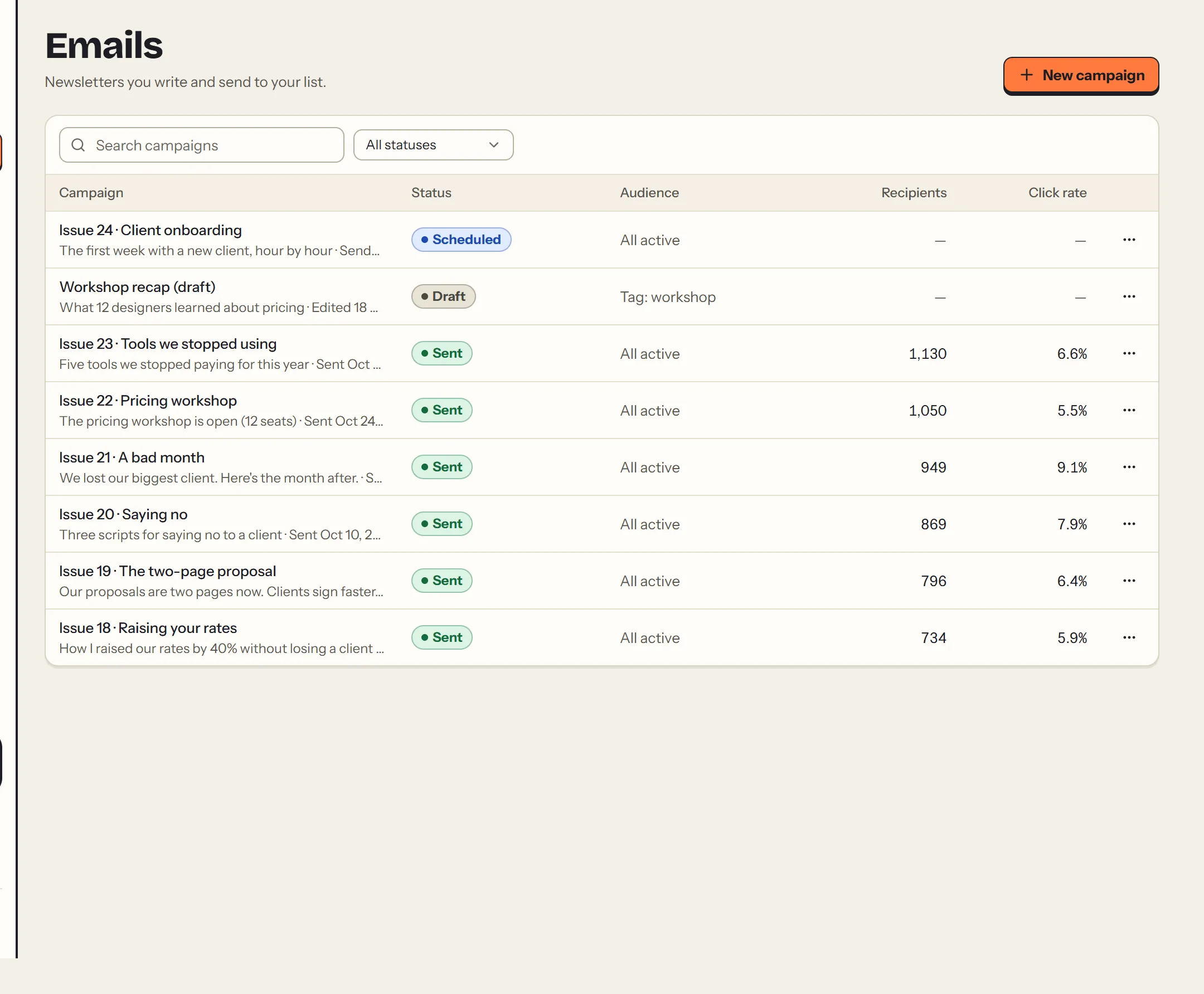
A campaign is one email to your list: a newsletter issue, an announcement, a launch. Emails lists them all, with drafts, scheduled and sent ones together.
#Write
Choose New campaign. On the left are the details and the content; on the right, a live preview with a sample subscriber, on desktop or mobile.
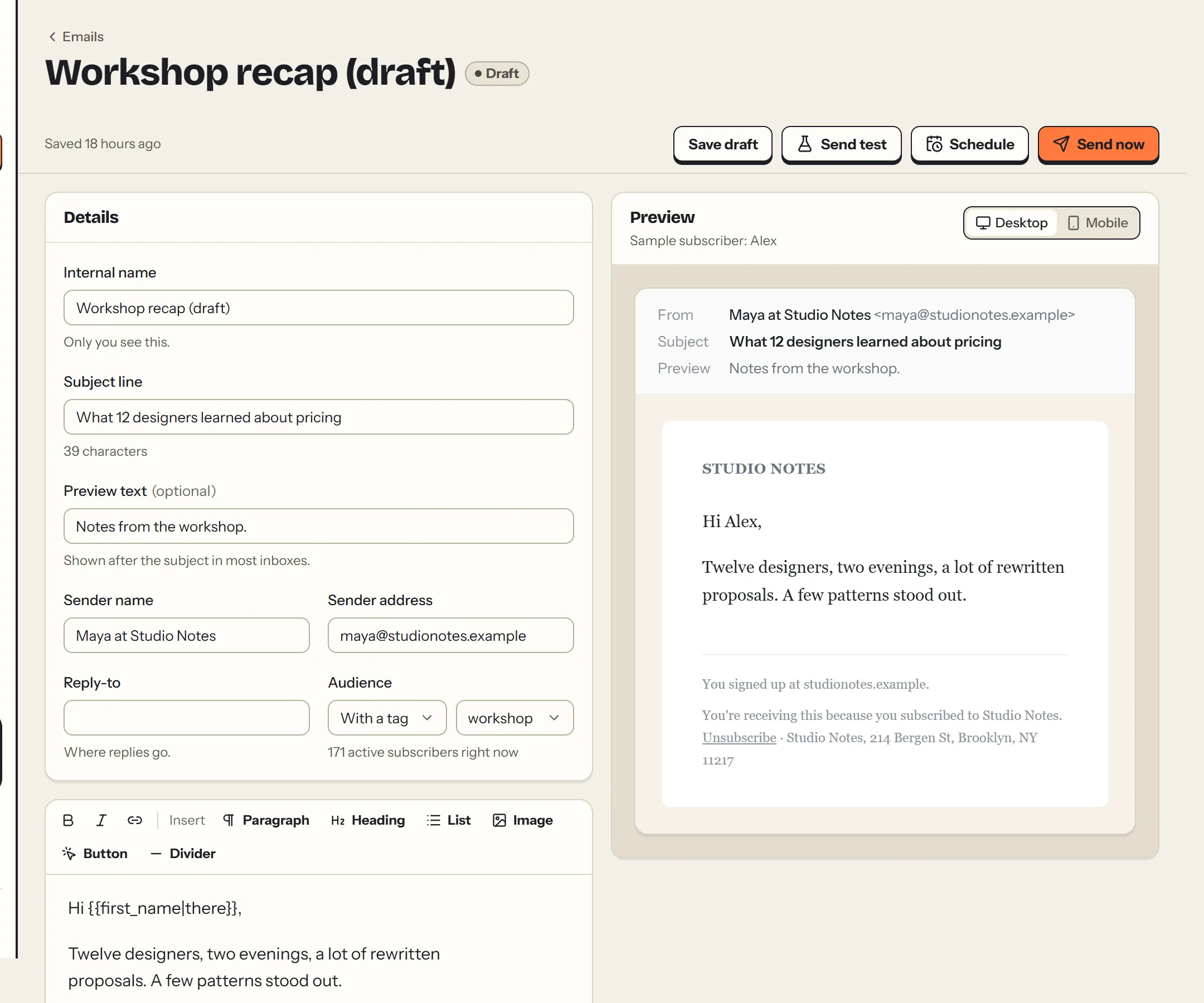
- Internal name: only you see it.
- Subject line and preview text: what people see in their inbox before opening.
- Sender name, address and reply-to: they default to your settings, and you can change them per campaign. The address must be at your verified domain.
- Audience: all active subscribers, or only those with a tag. The count updates as you choose.
The editor builds the email from blocks: paragraph, heading, list, image, button and divider. Select text to make it bold, italic or a link. Percy saves your draft as you go.
#Personalize with merge tags
Write {{first_name|there}} to use each subscriber's first name. The part after the | is the fallback for people without a name, so "Hi {{first_name|there}}," becomes "Hi Ana," or "Hi there,". Merge tags work in the subject and preview text too.
#Test
Send test emails you a copy, exactly as subscribers will see it. Test emails are free and don't count toward your plan.
#Send or schedule
Send now and Schedule both open a final review: subject, sender, audience, how many people will get it, who's skipped and why, and your usage after this send.
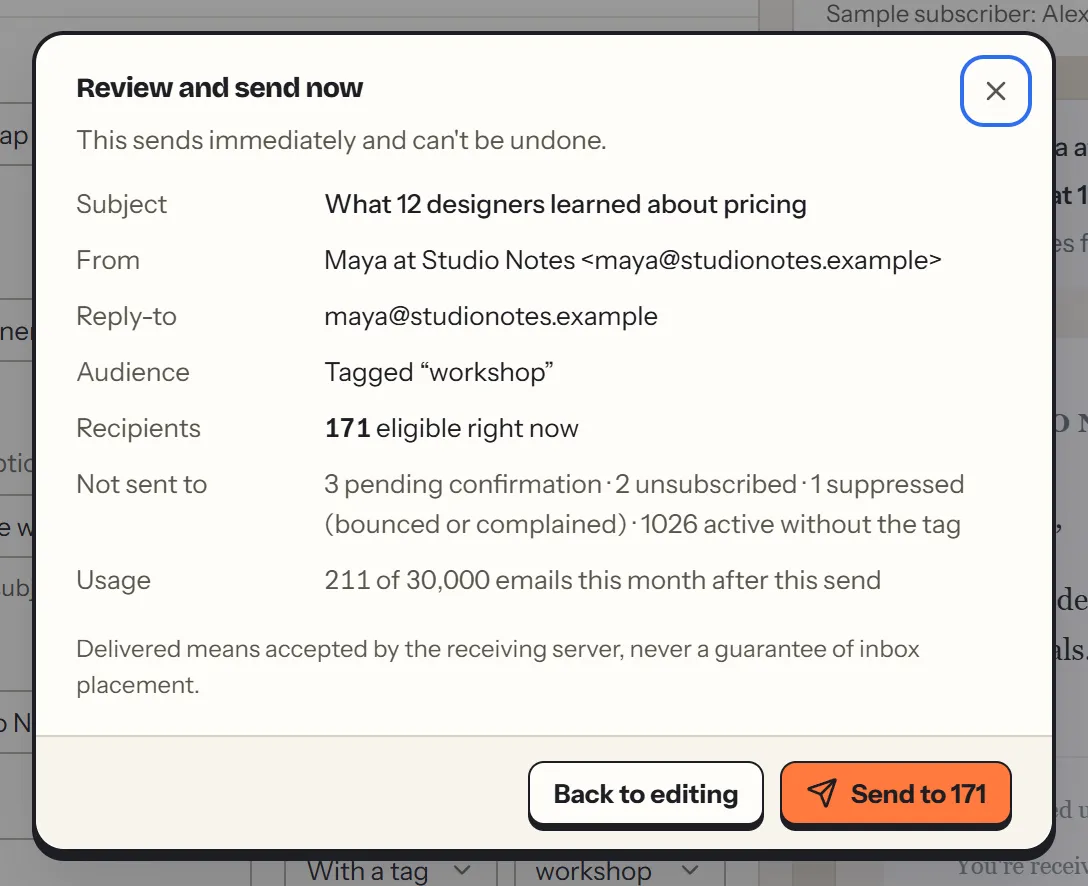
Percy won't send if:
- your domain isn't verified yet;
- there's no postal address;
- nobody matches the audience;
- you have no plan;
- or the send would go over this month's allowance.
The review says which one applies, and how to fix it.
Scheduled times use your newsletter's time zone. You can unschedule any time before it goes out. Sending is spread over a few minutes in batches; the report updates as it goes.
#Read the report
Every sent campaign has a report.
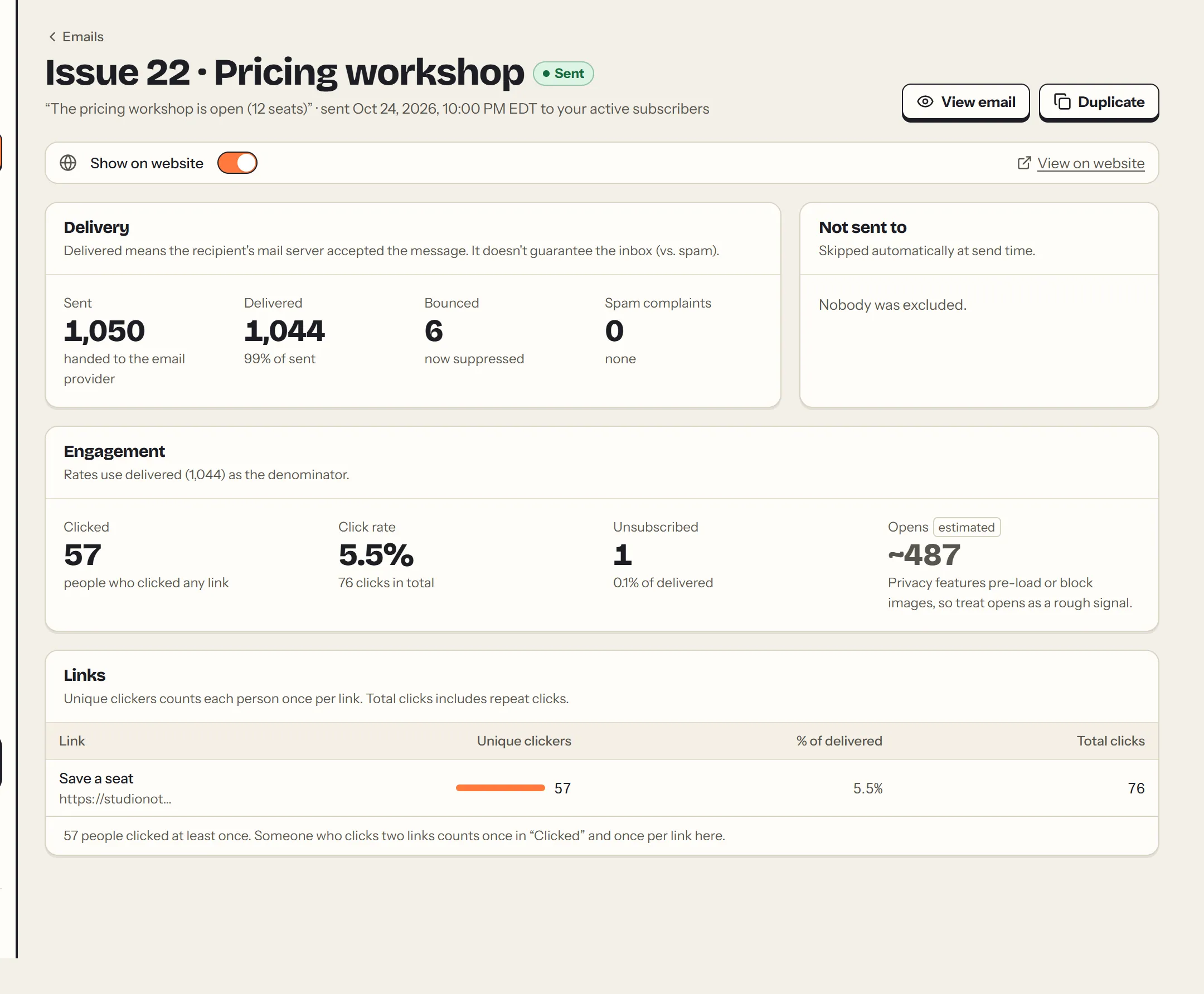
- Sent and delivered: delivered means the recipient's mail server accepted the email. It doesn't guarantee the inbox.
- Bounced: the address doesn't exist or refused the email. Those addresses are suppressed automatically, so you never send to them again.
- Spam complaints: someone marked it as spam. Also suppressed.
- Clicked: people who clicked any link, with a count per link. Clicks are the most reliable engagement signal.
- Opens (estimated): privacy features in Apple Mail and Gmail load images on their own, so opens are a rough signal at best.
- Unsubscribed: who left through this email's link.
The rates use delivered emails as the denominator.
#Unsubscribing
Every email has an unsubscribe link in the footer and a one-click unsubscribe header, which Gmail, Yahoo and Apple Mail show as an "Unsubscribe" button. Unsubscribing is instant, and it stops the person's sequences too.
This page as Markdown: https://percymail.com/docs/campaigns.md. All the docs: https://percymail.com/llms.txt.