Brand and website
Brand & design
Your logo, colors and fonts in emails, forms and your website.
Settings → Brand & design sets how readers see you: in your emails, on your signup forms and on your website. The preview updates as you change things. Your website's theme picks up these colors, font and logo too; you can fine-tune the site further down the same page.
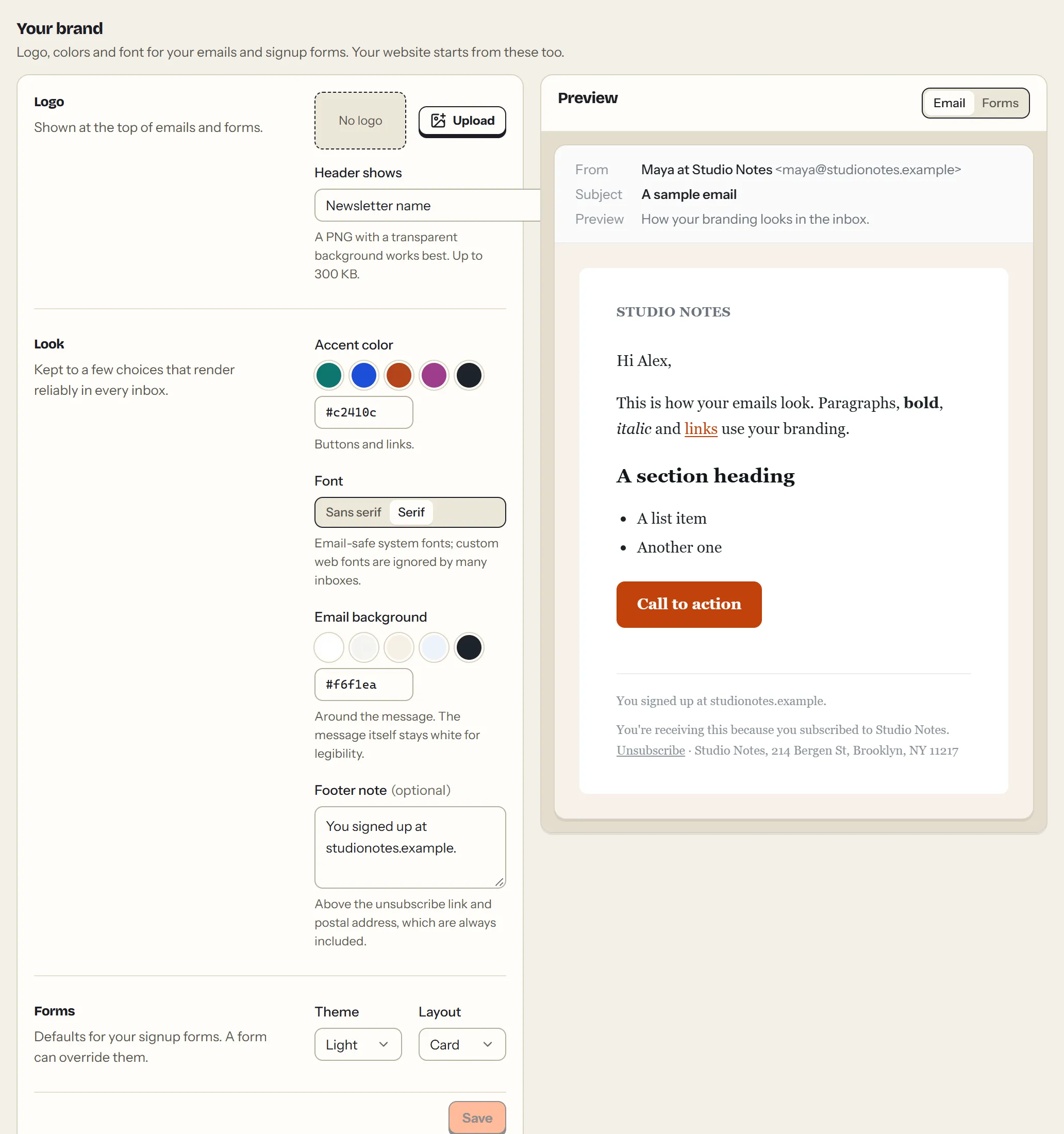
- Logo: PNG, JPG, GIF or WebP, under 300 KB. Choose whether the email header shows the logo, the newsletter name, or both.
- Accent color: links and buttons. Percy picks white or dark button text, whichever stays readable.
- Font: sans-serif or serif. Both use fonts every inbox has.
- Email background: the color around the email. The email body stays white, for legibility.
- Footer note: an extra line above the legal footer, such as how people signed up.
- Forms: the default theme (light or dark) and layout for signup forms that follow your branding.
The dashboard's own look (Settings → Appearance) only changes what you see; readers never see it.
This page as Markdown: https://percymail.com/docs/branding.md. All the docs: https://percymail.com/llms.txt.